I Know a Place
I Know a Place is an interactive map that highlights how a single location can hold countless unique stories and experiences for different people.
This project was built for the 2025 TEDxCMU main event.
Overview
TEDxCMU’s 2025 theme was “I Know a Place” — the idea that a single location can hold completely different memories, meanings, and stories for every person who has been there.
I was brought on as the project lead to build an interactive web experience for the live event. Attendees could walk up to a shared screen, drop a pin on a map, and submit a short story about a place that meant something to them. The stories would appear as live pins for everyone to explore throughout the night.
The core challenges were: keeping the experience fast and frictionless for a live audience, moderating submissions in real time without a dedicated person watching, and making the map feel playful rather than clinical.
+-----------------------+     submits payload      +-----------------------+
| User Submits Story    | -----------------------> | Next.js API Route     |
| Input Modal (Next.js) | { story, location, ... } | /api/submit           |
+-----------------------+                          +-----------------------+
                                                               |
                                            +------------------+------------------+
                                            | (parallel AI processing)            |
                                            v                                     v
+-----------------------+     moderation pass      +-----------------------+     tag generation         +-----------------------+
| OpenAI Moderation     | -----------------------> | Google Sheets API     | <------------------------- | OpenAI API            |
| Content Safety Check  |                          | Append Row / DB       | { tags: [...] }            | Tag Generator         |
+-----------------------+                          +-----------------------+                            +-----------------------+
                                                               |
                                                               | story & tags saved
                                                               v
                                                   +-----------------------+
                                                   | Leaflet.js Map        |
                                                   | Interactive Pin       |
                                                   +-----------------------+
Map Features
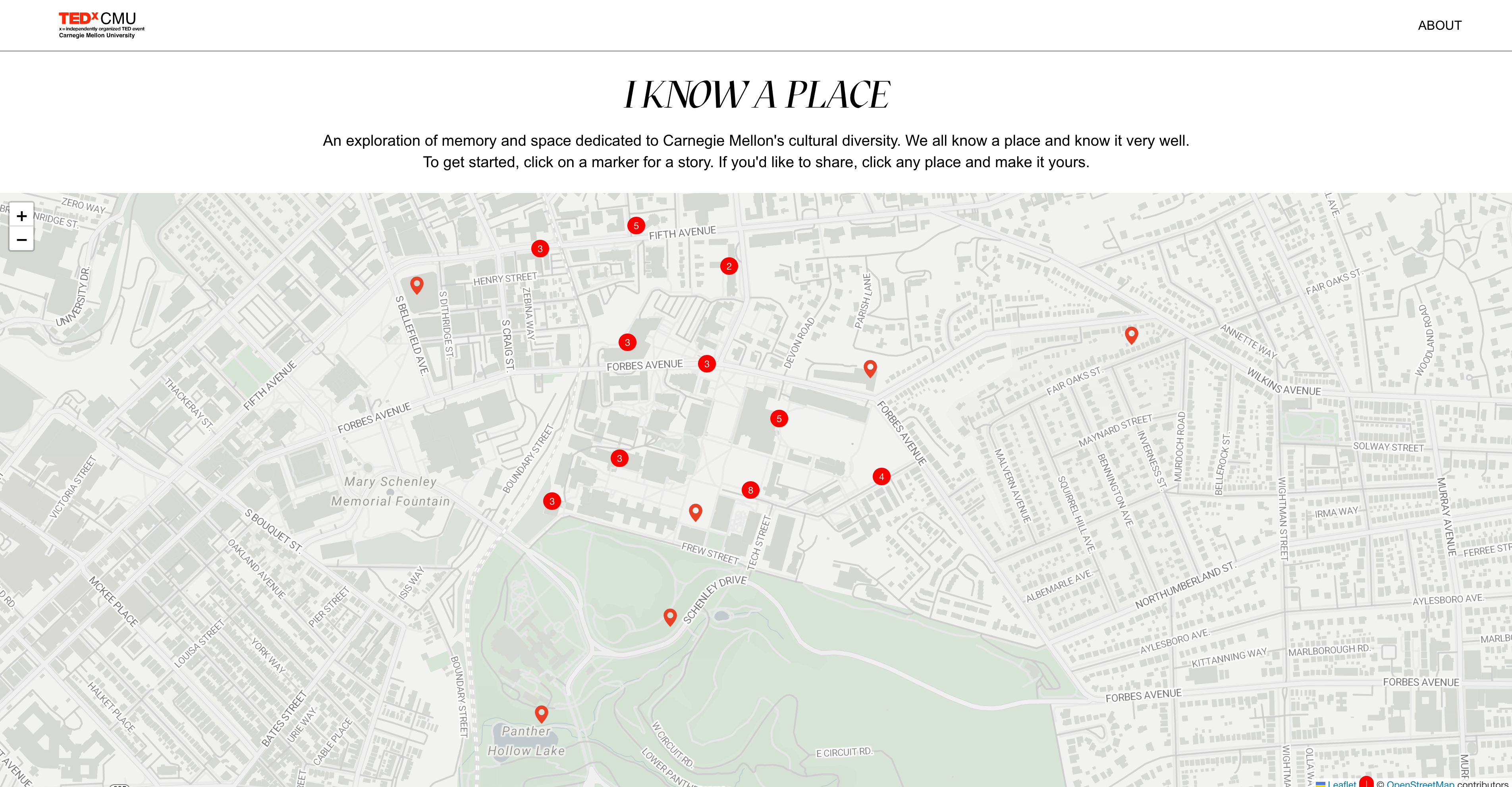
The implemented map features include Zoom In and Zoom Out functionality. When selecting a library to build the map, we carefully considered how information would be displayed at different zoom levels to avoid overwhelming the screen. Ultimately, we chose Leaflet.js for its flexibility and control over zoom behavior.
Webpage on First Load
Zooming In
Zooming Out
Story Checking and Generating Tags
Since the team was busy and overwhelmed during the event, I wanted to avoid assigning someone to manually review the stories uploaded to the map. To address this, I integrated a call to the OpenAI API upon upload to automatically check if a story is appropriate for the event.
I also used the OpenAI API to generate tags for each story, helping categorize them. During user testing with the team, we found that the auto-generated tags added an element of joy and playfulness to the story submission process.
Generating tags to a story
Checking for appropriate story
Submitting Stories
To store the stories, the team used a Google Sheets as our database. Completely free of charge, easy to add and remove from, and if anything went wrong we could just create a new Google Sheets.
Writing/Reading to/from Google Sheets Database
Design Components
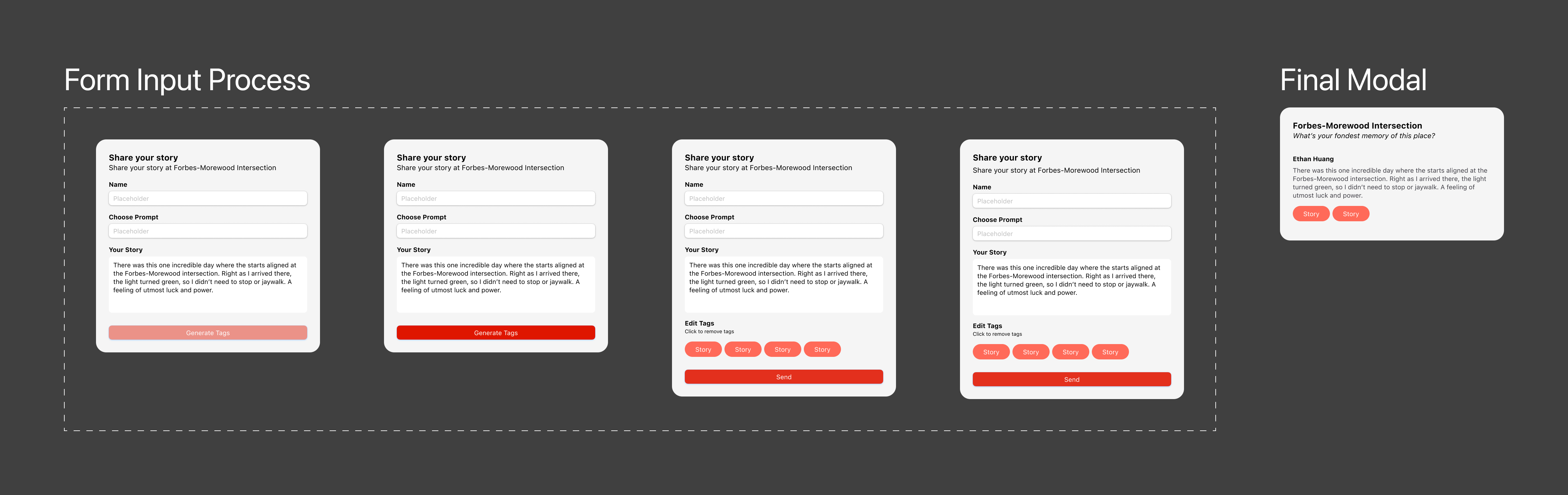
Apart from the map interactions, the main component that required designing was the modal that popped up for users to input stories.
The modal consists of an input and final submitted state.
Design Components